
Maximising Linux Gaming Performance: My Ultimate CachyOS & Steam Setup
I’ve put together a rock-solid setup using CachyOS that has completely transformed my gaming experience.If you are looking to squeeze every ounce of power out of your system, you have the power to make it happen; here is exactly how to do it!
Step 1: Optimize Your Kernel with Sched-ext
First things first, we need to make sure your CPU scheduler is built for peak gaming performance. Using the standard CachyOS kernel, open up the CachyOS Kernel Manager and configure the sched-ext scheduler.
As you can see in the configuration screenshot
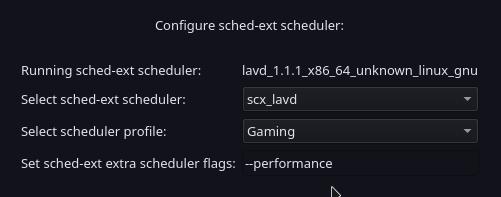
you'll want to set your scheduler to scx_lavd and set the profile to Gaming with the --performance extra scheduler flag. Give your system a quick reboot after hitting Apply, and after entering your password (possibly twice), you're ready for the next step.
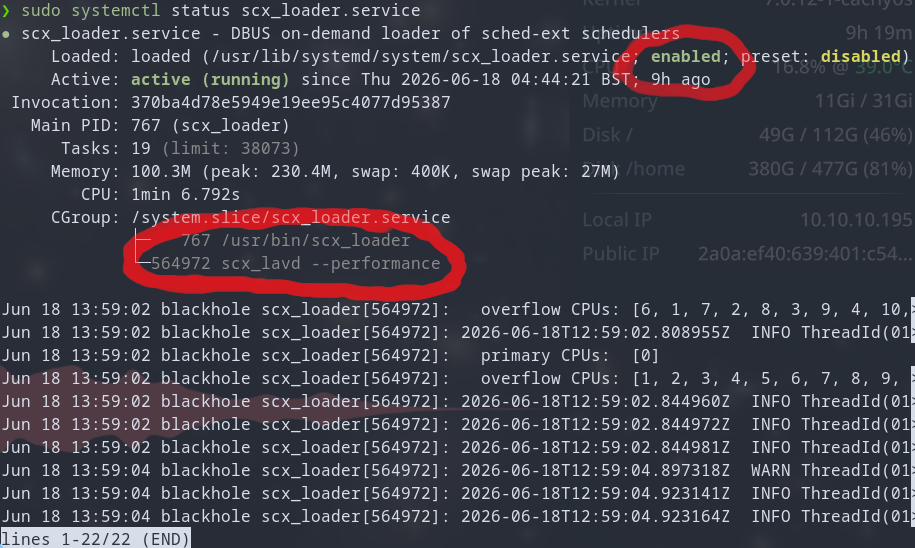
Confirming correct scheduler profile (Optional but recommended)
In a terminal run sudo systemctl status scx_loader.service
You should expect output very similar to this:
Step 2: Ultimate Steam Launch Options
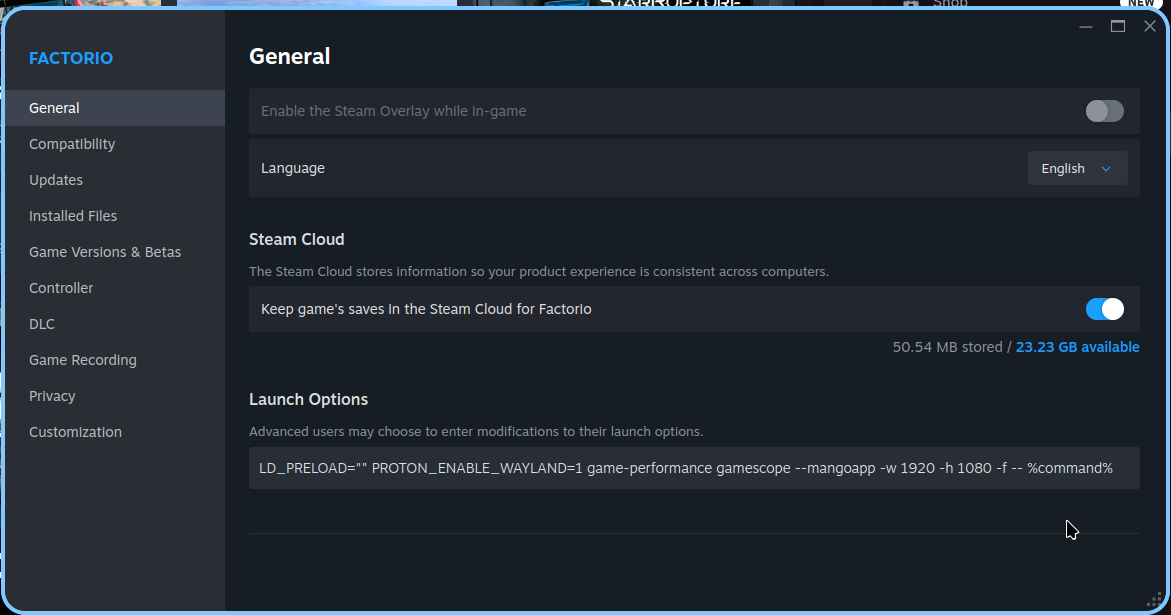
To get the absolute best frame rates, perfect mouse tracking, and smooth window management, I use a tailored string of launch options in Steam. You can copy and paste this complete setup directly into your game's launch properties:LD_PRELOAD="" PROTON_ENABLE_WAYLAND=1 game-performance gamescope --mangoapp --force-grab-cursor -w 1920 -h 1080 -f -- %command%
What do these parameters actually do?
LD_PRELOAD="": This is a crucial fix! It ensures the Steam overlay doesn't load, which prevents a known memory leak issue on Linux.PROTON_ENABLE_WAYLAND=1: Forces the use of the native Wayland compositor instead of relying on the slower XWayland compatibility layer.game-performance: A handy wrapper that forces your CPU straight into high-performance mode.gamescope: Creates a dedicated, isolated Wayland compositor specifically for your game, optimizing rendering.--mangoapp(Optional): Pipes in a lightweight performance overlay so you can track your FPS and system stats. (Close and re-open with Right Shift + F12)--force-grab-cursor(Optional): Ensures your mouse cursor stays locked inside the game window so you never lose control during intense moments.-w 1920 -h 1080 -f: Forces the game into a crisp 1080p fullscreen resolution before piping in the actual game command (%command%).
Keep It Simple Steam - (Minimum Commandline)
If you don't need the extra overlays, custom resolutions, or window managers, you can absolutely strip it down to the absolute essentials. However, to keep things running smoothly, this shorter version is a MUST:LD_PRELOAD="" PROTON_ENABLE_WAYLAND=1 %command%
How to setup steam games
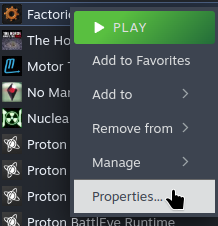
- Open your game of choice's properties :
- Then apply the command line of your choice in Launch Options:
Plug these settings in, reboot, and enjoy buttery-smooth Linux gaming!